Small Medical Practice HIPAA Fundamentals

Small Practice Owners Guide to HIPAA Compliance Programs

Article Contents

If you own a small practice, here is what to focus on when it comes to HIPAA:

Small Practice Owner’s Legal Responsibility for HIPAA Compliance

A small practice owner carries legal responsibility for HIPAA compliance regardless of who performs the day-to-day compliance tasks. That means confirming the practice has completed a recent risk analysis, written policies actually reflect what HIPAA requires, staff training stays documented, and HIPAA agreements are in place with every vendor handling patient data. Ownership of a HIPAA-covered practice creates direct financial and legal exposure to fines, corrective action plans, and civil litigation.

Why Ownership Carries the Responsibility

The Office for Civil Rights holds the business liable for a HIPAA violation, not any individuals who may be “at fault” except in extreme circumstances. Many of these practices operate under the owner’s own name and because a reportable breach or settlement becomes part of the public record, a HIPAA issue can attach to an owner’s name well beyond the incident itself. This is not true for every practice, but the underlying accountability works the same way regardless: the owner is the ultimate level where accountability lives.

Many practice owners decide to delegate responsibilities like HIPAA compliance, which is perfectly reasonable, but maintaining oversight is advised considering what is ultimately at stake. At a minimum, that means checking in with whoever manages the details to ask for the date of the last risk analysis, the status of staff training, and any open items from a prior review.

What Noncompliance Actually Costs

Penalties for HIPAA violations scale with the nature of the violation and the practice’s compliance history. Regulators also look at a practice’s financial position when setting the amount: the fine is not designed to bankrupt a practice, but it is designed to hurt, and a small practice’s thin margins and limited cash reserves make that pain land harder than it would for a larger system facing the same underlying violation.

The fine, though, is usually the smallest piece of what an actual breach costs. Figuring out what happened and how far it spread often means bringing in forensic help. Then comes recovery, patient notification, and the reputational fallout of lost patients and the revenue that goes with them. A larger breach can also draw attention from law firms that monitor the public breach records and file class action lawsuits, adding even more costs.

None of this is fully avoidable. A strong program lowers the risk of a breach, but nothing eliminates that risk entirely. What a practice has the most control over is the fine itself. A practice that can show a documented, good-faith compliance effort is positioned to avoid at least that piece of the cost.

Understanding What the Practice Is Actually Obligated to Do

A HIPAA compliance program exists because a practice handles patient information, and federal law sets specific expectations for how that information gets protected, used, and disclosed. Those expectations come from three related rules: the HIPAA Privacy Rule, the HIPAA Security Rule, and the HIPAA Breach Notification Rule. Together they cover who can access patient information, how it needs to be secured, and what happens if it is exposed.

The underlying requirements do not shrink for a smaller practice. A solo practitioner and a ten-provider group face the same rules, but applying them gets more complex as a practice grows, with more systems, more staff, and more vendors to account for. Size affects capacity and complexity. It does not affect what is actually required.

Where the Program Starts

Every compliance program starts with an honest look at where patient data actually exists in the practice and what protects it today. HIPAA has a name for that ongoing process: a Security Risk Analysis. It is documented work, not a one-time form to fill out, that establishes the practice’s baseline risk and tracks progress reducing it over time. An owner should be able to confirm when it was last done, who did it, and what remediation items came out of it. An analysis older than a year, or one that has never accounted for a new system the practice adopted, is an open gap worth asking about directly.

Confirming Policies and Training Are in Place

There are several other critical elements to a compliance program beyond the risk analysis. A policy library, built in part from what the risk analysis reveals, spells out how the practice actually operates and what staff are expected to do in specific situations. A training program then uses those same policies, along with everyday security topics, to reinforce that expected behavior. Together, these are what prevent the kind of human-error breach that is the most common type a practice faces. Most owners delegate or outsource training, and often policy development as well, but the policies still need to reflect how the practice actually operates and not a one-size-fits-all template.

While training gives staff the instruction to follow proper procedure, a sanctions policy is what backs that up. This is a documented statement of what happens when someone does not follow policy, with consequences ranging from a warning to termination depending on the severity of the violation. Having this in writing, and applying it consistently, gives an owner clear grounds to act when someone falls short, and it also shows an investigator that the practice’s rules were actually being enforced.

An Easy Gap to Miss: Vendor Agreements

A practice’s list of vendors tends to grow quietly over time, often without a matching update to its agreements with them. Billing services, scheduling platforms, cloud storage providers, and IT support contractors typically all need a signed HIPAA Business Associate Agreement (BAA) before they can access patient data. This is an area of compliance that rarely comes up in daily operations, so an owner who has not personally checked the vendor list against the practice’s signed BAAs can easily be unaware of a gap that has existed for years, sometimes until an incident forces the review.

This makes vendor oversight one of the larger risk areas for a small practice, for two reasons. First, it is easy to overlook. The practice is usually focused on internal measures and fails to think about these vendors at all. Secondly, these vendors often handle data for many practices at once, which makes them a more likely source of a breach than the practice’s own systems. When a breach does trace back to a vendor, without a BAA the practice still faces serious judgement with the Office for Civil Rights, regardless of where the actual fault lay.

Preparing for an Investigation or Breach

When a breach occurs or a patient files a complaint, documentation, not intention, determines how the investigation resolves. An owner who has maintained oversight of a current, documented program enters that process with evidence the practice acted in good faith. An owner who cannot produce basic documentation faces a much harder path through the same investigation, regardless of how well the practice actually operated day to day.

During an active investigation, the owner typically serves as the practice’s primary point of contact and decision-maker, even when a Privacy Officer or outside counsel manages the technical response. An owner already familiar with the practice’s own compliance documentation responds to the process more effectively than one encountering it for the first time, and avoids the delay of scrambling to locate records that should have been maintained all along.

Staying Current with Regulatory Change

HIPAA requirements change through new rules, updated guidance, and shifting enforcement priorities from the Office for Civil Rights. An owner does not need to track every development personally, but they do need to confirm that whoever manages the practice’s compliance program has a process for identifying relevant changes and applying them, since a policy that reflects an outdated version of a rule is a gap that can sit unnoticed until it matters.

State law adds another layer, and in some ways a harder one to track. There are more states to watch than there are federal agencies, state regulators and courts tend to move faster than federal rulemaking, and many state requirements are stricter than HIPAA’s baseline. Every practice is expected to stay current with both.

Choosing How to Run the Program

A small practice owner generally chooses among three approaches: handling compliance internally with existing staff and generic templates, engaging an outside consultant for periodic review, or adopting dedicated software built specifically to generate and maintain the program. Each carries real tradeoffs in cost, staff time, and how current the program stays between reviews, and the right fit depends heavily on the practice’s specific situation.

The post Small Practice Owners Guide to HIPAA Compliance Programs appeared first on The HIPAA Journal.

Building a HIPAA Compliance Program as a Dental Office Manager

A Dental Office Manager builds a HIPAA compliance program by identifying the specific forms protected health information takes in a dental setting, completing a current HIPAA Security Risk Analysis that accounts for imaging systems and open treatment areas, securing Business Associate Agreements with dental laboratories and referral specialists, and training staff who frequently perform more than one role at once. Dental practices operate under the same HIPAA rules for dentists that apply to medical practices generally, but the operational structure of a dental office introduces compliance considerations that a general medical program does not fully address.

Identifying Protected Health Information Specific to Dental Practice

Protected health information in a dental practice includes treatment records, billing details, and medical history intake forms, but it also includes categories of data that carry a distinct handling requirement in dental settings. Radiographic images, periodontal charting, and treatment plans shared with labs or specialists all qualify as protected health information and need the same safeguards applied to any other patient record.

Medical History and Intake Forms

Dental intake forms typically collect medical history details relevant to treatment, including current medications, allergies, and existing health conditions that affect dental procedures. A Dental Office Manager confirming these forms are stored securely, whether on paper in a locked file or digitally within an access-controlled system, addresses a category of protected health information that patients complete themselves and that staff may handle more casually than a formal medical record, despite carrying the same regulatory protection.

Digital Radiography and Imaging Systems

Digital X-ray systems store patient images on a server or workstation that requires the same access controls, audit logging, and encryption as the practice management software. A Dental Office Manager confirming that the imaging system falls within the scope of the practice’s technical safeguards avoids a common gap where imaging equipment, purchased and installed by a separate vendor, gets treated as a standalone clinical tool rather than a system holding protected health information.

The HIPAA Security Risk Analysis for a Dental Office

A dental practice’s HIPAA Security Risk Analysis needs to account for the practice’s physical layout and equipment inventory in addition to its administrative systems. A Dental Office Manager overseeing this analysis includes imaging workstations, chairside computers, and any tablets used for treatment planning or patient education, since each represents a point where protected health information is created, accessed, or displayed.

Multi-Chair and Open-Bay Treatment Areas

Many dental practices operate with treatment chairs positioned within sight or earshot of one another, a layout that creates disclosure risk not typically present in a medical practice with individual exam rooms. A Dental Office Manager reviewing this layout during the risk analysis identifies where patient names, treatment discussions, or financial conversations at one chair are audible or visible from an adjacent chair, and works with clinical staff to reduce these incidental disclosures where operationally feasible.

Business Associate Relationships Unique to Dental Practices

Dental practices work with vendors that a general medical practice typically does not, and each of these relationships needs evaluation against the same Business Associate standard applied to any other vendor handling patient data.

Dental Laboratories and Referral Specialists

A dental laboratory fabricating a crown, denture, or orthodontic appliance receives patient identifiers, treatment details, and often digital scans or impressions tied to a specific patient, which typically qualifies the lab as a Business Associate requiring a signed Business Associate Agreement. A Dental Office Manager reviewing vendor relationships confirms that every lab, oral surgeon, orthodontist, or other specialist receiving patient information through a referral has an agreement on file, since these relationships are sometimes treated as informal professional courtesies rather than formal data-sharing arrangements requiring documentation.

Insurance Clearinghouses and Dental Support Organizations

A practice submitting claims through a third-party clearinghouse, or operating under a Dental Support Organization that provides administrative or billing services, extends its Business Associate relationships beyond the clinical vendors already discussed. A Dental Office Manager mapping these relationships confirms that agreements cover data flowing through claims processing and administrative support functions, not only the clinical referral and laboratory relationships that are more visible in daily operations.

Policies and the Notice of Privacy Practices

A dental practice’s HIPAA Privacy Rule obligations include providing a Notice of Privacy Practices to every new patient and maintaining written policies covering how the practice uses and discloses protected health information. A Dental Office Manager confirms this notice addresses dental-specific disclosure scenarios, such as sharing images or treatment plans with a referred specialist or a dental laboratory.

Responding to Online Reviews Without Disclosing PHI

Dental practices frequently receive patient reviews on public platforms, and a response that references a specific patient’s treatment, appointment history, or account details to rebut a negative review constitutes an impermissible disclosure regardless of the practice’s intent to clarify the situation. A Dental Office Manager establishing a policy that limits public responses to general statements, without confirming or denying that a reviewer is even a patient, avoids the type of disclosure that has resulted in enforcement action against dental practices in the past.

Photography and Before-and-After Marketing Images

Dental practices commonly photograph patients’ teeth for clinical documentation and, in some cases, for marketing use showing treatment results. A Dental Office Manager confirming that marketing use of these images requires a separate signed authorization, distinct from the general consent obtained for treatment, closes a gap that arises when a clinically useful photograph gets repurposed for a website or social media post without the patient’s specific agreement to that additional use.

Compliance Elements a Dental Office Manager Should Maintain

  • A current HIPAA Security Risk Analysis covering imaging systems and treatment areas
  • Signed Business Associate Agreements with labs and referral specialists
  • A Notice of Privacy Practices addressing dental-specific disclosure scenarios
  • A written social media and online review response policy
  • Role-based training records reflecting staff members who perform multiple functions

Staff Training in a Multi-Role Dental Office

Dental practices commonly staff positions where one employee performs front desk duties, processes payments, and assists chairside during a single shift, a staffing pattern less common in larger medical practices with more defined role separation.

Addressing Overlapping Job Duties in Training Content

Generic HIPAA training for dental offices built around a single job function may not address the full range of situations a multi-role employee encounters during a shift. A Dental Office Manager reviewing training content confirms it covers the intersection of front desk, clinical support, and billing responsibilities a single staff member may hold, rather than assigning training modules based strictly on job title when actual duties extend beyond that title.

Front Desk and Scheduling Privacy Practices

The front desk in a dental practice manages check-in, scheduling, payment collection, and often insurance verification, creating multiple points where protected health information changes hands in view of other patients in the waiting area.

Sign-In Sheets and Treatment Boards

A sign-in sheet that lists patient names alongside appointment times or reasons for visit creates a disclosure visible to every subsequent patient who signs in afterward. A Dental Office Manager reviewing front desk procedures replaces or modifies sign-in practices that expose more information than necessary, and applies the same review to any treatment board, whiteboard, or scheduling display visible from patient-accessible areas that lists patient names alongside clinical information.

Discussing Treatment Costs at an Open Counter

Payment collection and treatment cost discussions often occur at an open front desk counter, within hearing range of other patients waiting nearby. A Dental Office Manager training front desk staff to lower their voice, use a private area for detailed financial discussions, or turn a computer screen away from public view during checkout reduces incidental disclosure of treatment details tied to cost, which patients often consider as sensitive as the clinical information itself.

Keeping the Program Current

A dental practice’s compliance program requires the same ongoing maintenance any HIPAA-covered practice needs, including periodic review of the risk analysis, updated Business Associate Agreements as vendor relationships change, and training refreshed as staff turn over or take on new responsibilities. Software built specifically for HIPAA compliance management gives a Dental Office Manager a structured way to track these recurring requirements across a practice where staff frequently juggle clinical, administrative, and financial duties simultaneously, reducing the likelihood that a compliance task gets overlooked during a busy patient schedule.

Learning from Enforcement Patterns in Dental Practices

A review of HIPAA compliance for dentists shows that enforcement actions against dental practices frequently involve a missing Notice of Privacy Practices, an absent Privacy Officer designation, or a delayed response to a patient’s records request, gaps that a structured, actively maintained program addresses directly. A Dental Office Manager aware of these recurring patterns can prioritize the specific documentation areas most likely to surface during a complaint or investigation involving a dental practice. Patient requests for copies of dental x-rays represent a recurring source of complaints specifically, since these files are sometimes stored in proprietary imaging software that front desk staff are not trained to export, creating a delay that a well-documented, tested export procedure would prevent.

The post Building a HIPAA Compliance Program as a Dental Office Manager appeared first on The HIPAA Journal.

HIPAA Compliance Made Easy for Small Practices

HIPAA compliance for a small practice means meeting the requirements of the HIPAA Privacy Rule, the HIPAA Security Rule, and the HIPAA Breach Notification Rule through a documented, current program rather than a single training session or a policy binder assembled once and left unchanged. Small practices are held to the same regulatory standard as hospitals and health systems, and the Department of Health and Human Services Office for Civil Rights does not scale its expectations down based on staff count or patient volume. A practice that has never been investigated is not necessarily compliant, it has simply not yet been tested. The path to a program that holds up under scrutiny is more structured than most owners and office managers assume, and it does not require becoming a regulatory expert to get there.

What HIPAA Compliance Requires From a Small Practice

A covered entity under HIPAA must maintain administrative, physical, and technical safeguards for protected health information under the Security Rule, apply use and disclosure standards for that information under the Privacy Rule, and follow defined notification timelines when a breach occurs under the Breach Notification Rule. These three rules work together rather than separately. A practice needs a documented Security Risk Analysis that identifies where electronic protected health information lives and what threatens it, written policies and procedures that reflect how the practice actually operates, workforce training tied to those policies, and a record-keeping system that can produce evidence of all of it on request. Missing any one piece leaves a gap that surfaces during an investigation, a breach response, or a patient complaint.

The Documentation Gap Most Small Practices Overlook

Many practices believe they are compliant because staff completed an annual training or because a policy binder sits in a filing cabinet. Those actions satisfy part of the requirement, not the whole of it. Regulators evaluating a complaint or a breach do not see the daily operation of a practice, they see whatever documentation the practice can produce, and a gap in that documentation is treated as a gap in compliance regardless of what actually happened in the office. Practices that can show a completed Security Risk Analysis, dated policy updates, individual training records, and a log of remediation steps are positioned to demonstrate that an incident was human error rather than neglect. Practices without that paper trail have no way to make that distinction to an investigator.

Why Partial Steps Do Not Satisfy HIPAA Rules

HIPAA does not grant partial credit for partial effort. A risk analysis completed for one year and never revisited does not meet the requirement in the following year, since regulations, technology, and practice operations change and the analysis has to reflect current conditions to remain valid. Training delivered once at hire, without refresher sessions when policies change, leaves staff operating on outdated information. A good-faith compliance program has to be complete across all three rules and kept current, not assembled from whichever pieces were easiest to finish. This standard applies equally to a solo practitioner and a multi-location group practice, and the absence of any single required element can be the finding that drives a penalty.

Building a Program That Stays Current With Changing Regulations

HIPAA compliance is not a project with a completion date, it is a program that has to be maintained as long as the practice operates. Federal rules are updated periodically, state privacy laws layer additional obligations on top of HIPAA in many jurisdictions, and a practice’s own risk profile changes as it adds staff, technology, or locations. Software built specifically to manage HIPAA compliance can generate the required policies, Security Risk Analysis, and training content directly from information about a specific practice, then flag when an update is due as regulations or the practice itself changes. Abyde is one example of software designed this way, producing a program tailored to the practice rather than a generic template the practice has to interpret and apply on its own. A program built this way can typically be assembled in a matter of hours rather than weeks, with ongoing maintenance requiring only a few minutes a month once the initial setup is complete.

Expert Support for Judgment Calls Software Cannot Make

Software can generate documentation and flag deadlines, but some compliance questions require a judgment call that depends on the specific facts of a situation, such as whether an incident meets the threshold for breach notification or how to respond to an unusual patient request. Direct access to compliance experts closes that gap. Abyde includes compliance experts as part of its subscription, reachable by phone or message, so a practice facing a real situation is not left interpreting regulatory language alone. This kind of support matters most to the office manager or compliance officer who runs the program day to day and needs a reliable answer quickly, rather than a research project every time a question comes up.

Bringing a Complete Program Together

A small practice does not need to become fluent in HIPAA regulatory text to meet its obligations under the Privacy Rule, the Security Rule, and the Breach Notification Rule. What it needs is a documented, complete program covering all three rules, kept current as regulations and the practice change, with expert support available for the judgment calls that documentation alone cannot resolve. Abyde has supported customers through more than 200 Office for Civil Rights investigations without a resulting fine, an outcome tied directly to the completeness and currency of the documentation those practices had in place. Practices evaluating their own compliance posture should start by identifying which of the three required pieces, a current risk analysis, complete policies, or documented training, are missing or out of date, since that gap is typically the first thing an investigation uncovers.

The post HIPAA Compliance Made Easy for Small Practices appeared first on The HIPAA Journal.

Why You Don’t Need to Understand HIPAA to Make Your Practice HIPAA Compliant

A practice owner who cannot define a Security Risk Analysis, has never read the HIPAA Security Rule, and does not know what a Business Associate Agreement must contain can still operate a practice with a complete, documented, provable HIPAA compliance program. The expertise does not have to live in the practitioner’s head. It has to live in the program. A purpose-built compliance program encodes what HIPAA requires and translates a practice owner’s knowledge of their own practice into a complete compliance record. The practitioner does not need to become a compliance expert. They need a structured program built specifically for them.

What HIPAA Actually Requires a Small Practice to Have

HIPAA’s requirements for a small independent practice are extensive, but they are not open-ended. The HIPAA compliance obligations for a covered entity resolve into four documented outputs that the HHS Office for Civil Rights will look for in any investigation or audit.

The first is a current Security Risk Analysis. The Security Rule requires covered entities to conduct an accurate and thorough assessment of the risks and vulnerabilities to electronic Protected Health Information across every system, device, and workflow the practice uses. The SRA must be current. A practice that completed one two years ago and has since changed its EHR system, added a telehealth platform, or hired new staff has an outdated assessment and a documented gap.

The second is a set of written policies and procedures tailored to the practice. The HIPAA Privacy Rule and Security Rule both require written policies that address each applicable standard. Generic templates do not satisfy this requirement. The HHS Office for Civil Rights treats policies that do not reflect how the practice actually operates as evidence that a compliance program exists on paper only, not in practice.

The third is documented workforce training. The HIPAA training requirement applies to every member of the workforce, including staff who do not directly handle patient records. Training records must show who completed training, what was covered, and when. The record of completion is the compliance artifact. An investigator will ask for documentation, not recollections.

The fourth is a signed Business Associate Agreement with every vendor that creates, receives, maintains, or transmits Protected Health Information on behalf of the practice. This includes EHR vendors, billing services, cloud storage providers, transcription services, and any other third party with access to PHI. A breach involving a vendor without a current agreement exposes the practice to enforcement action regardless of where the fault lies.

These are not judgment calls or matters of interpretation. A practice either has all four, documented and current, or it does not. An OCR investigator will request each of them.

Why Most Small Practices Have Gaps They Cannot See

Most small practices are not non-compliant on purpose. They completed a training session, filed some policies, and reasonably concluded they were covered. The gap between that conclusion and actual compliance is where enforcement actions originate.

Three specific failure patterns appear consistently in OCR investigations of small practices.

The first is the generic template problem. A policy downloaded from a template library describes a hypothetical organization with hypothetical workflows. It does not describe the practice’s actual intake process, its specific EHR configuration, or how its staff handles verbal disclosures in shared clinical spaces. When an investigator asks a staff member to describe their workflow and the answer does not match the written policy, the program is treated as non-implemented. The document existed. The compliance program did not.

The second is the one-time SRA problem. Many practices completed a Security Risk Analysis once, often at the recommendation of their EHR vendor or an IT provider, and have not revisited it since. An SRA is not a one-time obligation. Every material change to the practice’s technology, physical environment, or service delivery model requires a reassessment. A practice that added telehealth after a prior SRA has a gap that the original assessment does not cover. OCR currently maintains an active enforcement initiative targeting incomplete and outdated risk analyses, and the SRA is the first document requested when an investigation opens.

The third is the partial completion problem. Training without a current SRA is partial compliance. Policies without documented training are partial compliance. A signed BAA for the EHR vendor but not the billing service is partial compliance. HIPAA penalties do not recognize partial effort. OCR does not award credit for the components a practice completed. The program must be complete to function as a defense, and partial compliance is treated the same as no compliance when an investigation surfaces a gap.

What Compliance Expertise Actually Consists Of, and Why a Program Can Carry It

A compliance expert knows which safeguards apply to a two-provider dental practice versus a multi-location behavioral health group. They know which questions a Security Risk Analysis must answer for a practice that uses a cloud-based EHR versus one with on-premises servers. They know when a vendor arrangement creates PHI storage exposure the practice has not assessed, and they know how the HIPAA Breach Notification Rule applies to a misdirected fax versus a ransomware incident.

That knowledge is not trivial. It takes years to develop and requires ongoing attention as the regulations change. The argument here is not that it is unimportant. The argument is that a practice owner should not have to carry it personally to operate a compliant practice.

A purpose-built compliance program encodes that expertise into a guided workflow. The practitioner answers questions about their practice: how many locations, which systems, what types of staff, which vendors. The program translates those answers into a practice-specific Security Risk Analysis, practice-specific policies, role-based training assignments, and a managed vendor agreement inventory. The practitioner brings knowledge of the practice. The program brings knowledge of HIPAA.

This is not a theoretical model. Practices with no prior compliance background and no dedicated compliance staff have built and maintained complete, audit-ready programs this way. The expertise is in the platform, not in the practitioner.

What a Complete, Practice-Specific Compliance Program Produces

A complete compliance program generates four outputs that correspond directly to what an OCR investigation will request.

The Security Risk Analysis produced by a purpose-built program is tailored to the practice’s actual systems, locations, workflows, and vendor relationships. It routes around questions that do not apply to a single-location practice and focuses on the vulnerabilities that do. It produces a documented risk register that identifies each vulnerability, assigns a risk level, and records the remediation action and timeline. An SRA without a corresponding risk management plan tells an investigator that risks were identified and ignored. A complete program produces both.

The policies and procedures generated by the program reflect how the practice actually operates, because they are built from the practice’s own SRA responses. They are not generic. They describe real workflows, real staff responsibilities, and real system configurations. When an investigator asks a staff member to describe their role and then compares the answer to the written policy, the two should match. A purpose-built program makes that alignment the default rather than an administrative aspiration.

The training records maintained by the program document completion at the individual level, with timestamps and role-specific assignments. Staff turnover, multiple start dates, and varying training schedules are tracked automatically. The program generates the documentation an investigator will request, not a spreadsheet assembled after the fact.

The Business Associate Agreement inventory tracks every vendor relationship, the date each agreement was executed, and when renewal review is due. Agreements that lapse because no one was tracking the renewal date are one of the most common findings in OCR investigations. A managed inventory with automated reminders eliminates that specific gap.

A practice that can produce all four on demand has a program it can prove. That is the only standard an OCR investigation applies.

The Difference Between Doing Some of It and Having All of It

The cost argument for a complete program is direct. Once a breach occurs, the costs that follow are largely fixed. Patient notification, breach response, reputational damage, and civil liability attach at the moment the breach is confirmed. The one cost that documentation and good-faith compliance can prevent is the government fine.

HIPAA civil penalties are tiered by culpability. A violation attributable to reasonable cause carries a substantially lower maximum penalty than one attributable to willful neglect. A complete, documented compliance program is the evidence of reasonable cause that determines which tier applies. For a small practice, the difference between those tiers can represent tens or hundreds of thousands of dollars. The fine is the cost that prior documentation prevents.

The time investment required to stand up a complete program through purpose-built software is measured in hours, not weeks. Maintenance thereafter requires a few minutes a month to keep the program current as the practice changes. That investment is not proportional to the regulatory risk it eliminates.

Partial completion does not reduce the fine. A practice that completed training but has no current SRA is exposed to the same willful neglect finding as a practice that did nothing, if the SRA gap surfaces during an investigation triggered by a breach. Every component of the program must be in place, documented, and current.

What to Look for in a Compliance Program

Not all HIPAA compliance software produces a complete, provable program. Three criteria distinguish a program that protects a practice during an investigation from one that generates paperwork without building a defense.

The first is practice-specific generation rather than templates. The program must produce documentation that reflects the actual practice, built from the practice’s own responses to guided questions. A policy library or downloadable template set requires the practice to implement, maintain, and update documents that were not written for them. A purpose-built program generates policies from the SRA and keeps them current as the practice changes.

The second is a complete program in a single plan. Partial compliance is not compliance, and a program that places the SRA, policies, training management, or BAA tracking behind separate service tiers or paid add-ons creates the same internal gap the practice is trying to close. Everything HIPAA requires should be included without requiring the practice to choose between cost and completeness.

The third is access to compliance experts. A software workflow handles the structured outputs: the SRA, the policies, the training records, the vendor agreements. It cannot handle the judgment calls that arise when a situation falls outside the structured workflow. How should the practice respond to a patient complaint that may or may not involve an impermissible disclosure? Does a specific cloud storage arrangement create PHI exposure that the SRA must address? Does a particular incident qualify as a notifiable breach under the four-factor harm analysis? Direct access to compliance experts, included in the program rather than billed separately, is what covers those situations. A practice that can call a compliance expert at the moment an unusual situation arises is not navigating HIPAA alone. A practice that cannot is.

The Standard an Investigation Applies

An OCR investigation does not assess how much the practice owner understands about HIPAA. It assesses what the practice can produce: a current Security Risk Analysis, written policies that match actual workflows, training records for every workforce member, and signed Business Associate Agreements with every covered vendor. Those are documents. They are generated by a program, not by regulatory expertise.

A practice owner who cannot define an SRA but runs their compliance program through purpose-built software will produce better documentation than a practice owner who has read the regulations in full but manages compliance manually through binders and spreadsheets. OCR does not see the effort. It sees the record.

The program does not replace the practitioner’s knowledge of their practice. It replaces the requirement that the practitioner also carry expertise in federal health information law. That expertise is already built in. The practice owner’s job is to answer the questions accurately and follow the guidance the program provides. The program does the rest.

The post Why You Don’t Need to Understand HIPAA to Make Your Practice HIPAA Compliant appeared first on The HIPAA Journal.

How to Choose HIPAA Compliance Software

The best HIPAA compliance software gives a covered entity a structured way to meet HIPAA’s requirements: automated documentation, an ongoing risk management process, and a clear view of where the program stands.

In most organizations, responsibility for HIPAA compliance falls to an administrator, practice manager, or compliance officer who manages it alongside other responsibilities and without a formal background in healthcare regulation. For these individuals, the best HIPAA compliance software reduces the administrative burden, removes the need for deep compliance expertise, and lessens the likelihood of an expensive breach.

What Are The Benefits Of HIPAA Compliance Software?

The benefits of using HIPAA compliance software for an administrator or practice manager are as follows:

  • Reduced Administrative Burden: HIPAA compliance software automates many administrative tasks related to compliance management, such as tracking training requirements, managing documentation, and maintaining an organization’s HIPAA Security Risk Analysis. This frees up time and reduces the administrative burden.
  • Effective Risk Management: HIPAA compliance solutions provide tools for conducting risk assessments, identifying vulnerabilities, and implementing risk mitigation strategies.
  • Confidence In Role: The best HIPAA compliance software removes the need for specialized compliance knowledge. It offers a clear view of compliance status, guided workflows, and access to live compliance experts so that someone without a compliance background can manage the role effectively.
  • Peace of Mind: By using HIPAA compliance tracking software, organizations have a documented record that keeps pace with HIPAA as the regulations themselves change, without needing to track updates independently. This peace of mind reduces the stress and uncertainty associated with compliance management.

What To Consider When Purchasing HIPAA Compliance Software?

By following our buyer’s guide framework, you can make a thorough assessment of the best HIPAA compliance software options and select the most suitable solution to support your organization’s requirements. There are three aspects to consider when purchasing HIPAA compliance software which are discussed in detail below:

1. Essential Functionality

2. Software Specifications

3. Business Considerations

1. What Essential Functionality Is Required For HIPAA Compliance Software?

The best HIPAA compliance software should be a flexible system that follows a recognized framework like the HHS Office of Inspector General’s (OIG) Seven Fundamental Elements Of An Effective Compliance Program. It should offer a guided setup process and documentation tailored to the organization.

The solution needs to ultimately provide proof of compliance for patients, clients, and auditors.

For compliance officers with little experience, the initial setup of the software is key. The best HIPAA compliance solutions offer some form of live compliance coaching to guide you through each step of setting up your HIPAA compliance program.

The following essential functionality will allow you to confidently address your organization’s compliance requirements:

1. Risk Assessment

  • Risk assessment tools
  • Streamlined questionnaires for user-friendly risk analysis
  • Risk scoring
  • Gap identification
  • Ongoing HIPAA risk assessment maintenance
  • Remediation planning

2. Incident Response

  • Breach incident reporting
  • Breach management tools
  • Live breach support guidance

3. Policies & Procedures

  • Policies and procedures tailored for your practice
  • Policy and procedure management
  • Central storage of policies and procedures
  • Employee portal for easy access to review policies

4. Employee Training

  • Train, track, and manage HIPAA compliance training for employees
  • Up-to-date HIPAA compliance training modules
  • Personalized, individual employee training certificates

5. Vendor/ Business Associate Management

  • Identify and track business associates
  • Business associate agreement generation and management
  • Ability to loop business associates into your compliance program directly to eliminate silos

6. Multi-Site Management

  • Manage the compliance levels at each site in an organization separately

7. Reporting

  • Centralized documentation storage
  • Audit logging and reports
  • Visuals showing overall compliance status and gaps at a glance

Healthcare Compliance CategorieWhat other features should you consider for your HIPAA compliance solution?

  • Does the software dynamically generate documentation tailored for your practice, saving you from manually completing generic forms?
  • If you have compliance questions, does the software provide access to compliance experts?
  • Is the platform cloud-based and automatically updated to comply with the latest compliance legislation?
  • OSHA compliance is a separate regulatory obligation from HIPAA, but many practices need to manage both. If that applies to you, it’s worth checking whether your chosen software handles both, which can simplify things, but evaluate that capability as a convenience rather than as part of what makes the software HIPAA-compliant.

2. What Are The Software Specifications To Consider For HIPAA Compliance Solutions?

Software specifications are aspects of a solution, such as usability or scalability, that are not about specific functionality but describe the broader qualities of the software. Specifications will help inform your decision when comparing HIPAA compliance software solutions.

1. Ease Of Use

  • Assess the software’s overall user experience, including the user interface and navigation around the solution.
  • Does it include guided workflows for conducting compliance activities? This is vital to make it easier for individuals without deep compliance expertise to navigate the compliance process.
  • How user-friendly are the training modules that employees will be required to take as part of the organization’s compliance?
  • Consider how often staff will actually log into the platform. A solution that requires significant reorientation every visit, or that requires a support call to complete routine tasks, adds friction that discourages consistent use. The best solutions make it immediately clear what needs to be done and guide the user through it.

2. Scalability & Flexibility

  • Can the software accommodate your organization’s current scale, for example, to manage multiple locations?
  • Does it allow for that management without compromising the location specificity expected by the regulations?
  • Can it scale up and adapt to your organization’s evolving future needs?

3. Integration Capabilities

  • Cloud-based solutions are the easiest to implement, and have the advantage that ongoing infrastructure maintenance is the responsibility of the software vendor.

4. Future Proofing

  • How will the software vendor address regulatory changes and updates to ensure ongoing compliance in a timely manner?

3. What Are The Business Considerations When Choosing Software?

You may find that when evaluating functionality and specifications, a favored vendor will emerge and you feel ready to award them the business right away. It is highly recommended that you don’t allow yourself to be pressured into a fast decision before fully examining the commercial and business considerations.

1. Vendor Reputation

  • Is the software endorsed by any medical associations?
  • Is the software endorsed by any IT businesses/MSPs?
  • Do they have current case studies and testimonials from other healthcare organizations that have successfully implemented the software?
  • Check the online reviews to see what users like and dislike. Take with a grain of salt as most reviews tend to be one of two extremes, but trends do matter.
  • Ask specifically whether any customers have been through an OCR investigation while using the software and what the outcome was.

2. Vendor Training & Support

  • Does the vendor offer live support to guide you through the setup of their HIPAA compliance software solution?
  • Is there a separate cost for this, or is it included in the price?
  • After setup what ongoing support is offered and is this included in the vendor’s annual charges?
  • Will the vendor assist in the event of a breach or investigation?

3. Costs

  • Look for a transparent breakdown of pricing structures, including initial setup costs, licensing fees, and any additional charges for support or updates.
  • Confirm that the core HIPAA requirements (risk assessment, policies and procedures, training, and Business Associate Agreement management) are included in the base plan.
  • Is there a one-time purchase cost or is it a subscription-based model? Subscriptions have become the most common way to purchase cloud-based software.
  • If cost is an issue and it appears that the solutions on your shortlist are similar, ensure you create a price comparison table taking all factors into account, such as extra costs for training or support. For example, whether HIPAA training is included or not.
  • Does the vendor offer exclusive discounts? For example, they may offer a group discount for an association you may already be a member of.
  • When comparing costs, factor in the value of your own time. A lower-priced solution that requires significantly more manual effort may not represent better value once the true cost of that time is considered.

4. Software License Period

  • What is the commitment period and what does it mean for the level of support you can expect?
  • Commitment structures tend to work both ways. Month to month arrangements offer flexibility but may be offset with upfront costs for onboarding and lack of ongoing support.
  • An annual commitment usually signals a more substantial support model. The vendor has both the runway and the reason to make sure your program works.
  • For upfront cost concerns, look for vendors who offer payment flexibility within an annual commitment. Payment schedule and commitment length are not always the same thing.
  • Read the small print on any agreement before signing so you are aware of your obligations.

Free Buyer’s Guide

We have compiled a free buyer’s guide to choosing HIPAA compliance software. This includes a checklist for the three aspects discussed in this article where you can rate up to three different solutions and compare your results.

This guide to choosing the best HIPAA compliance software can be downloaded by filling in the form on this page.


The post How to Choose HIPAA Compliance Software appeared first on The HIPAA Journal.

How to Become HIPAA Compliant

When considering how to become HIPAA compliant, one of the simplest approaches is to adopt HHS’s “Seven Fundamental Elements of an Effective Compliance Program.” This will help you address compliance challenges identified in a HIPAA risk assessment. It can also be beneficial to take advantage of HIPAA compliance software that is built around  The Seven Fundamentals in order to maintain a compliant workplace.

7 Steps for HIPAA Compliance

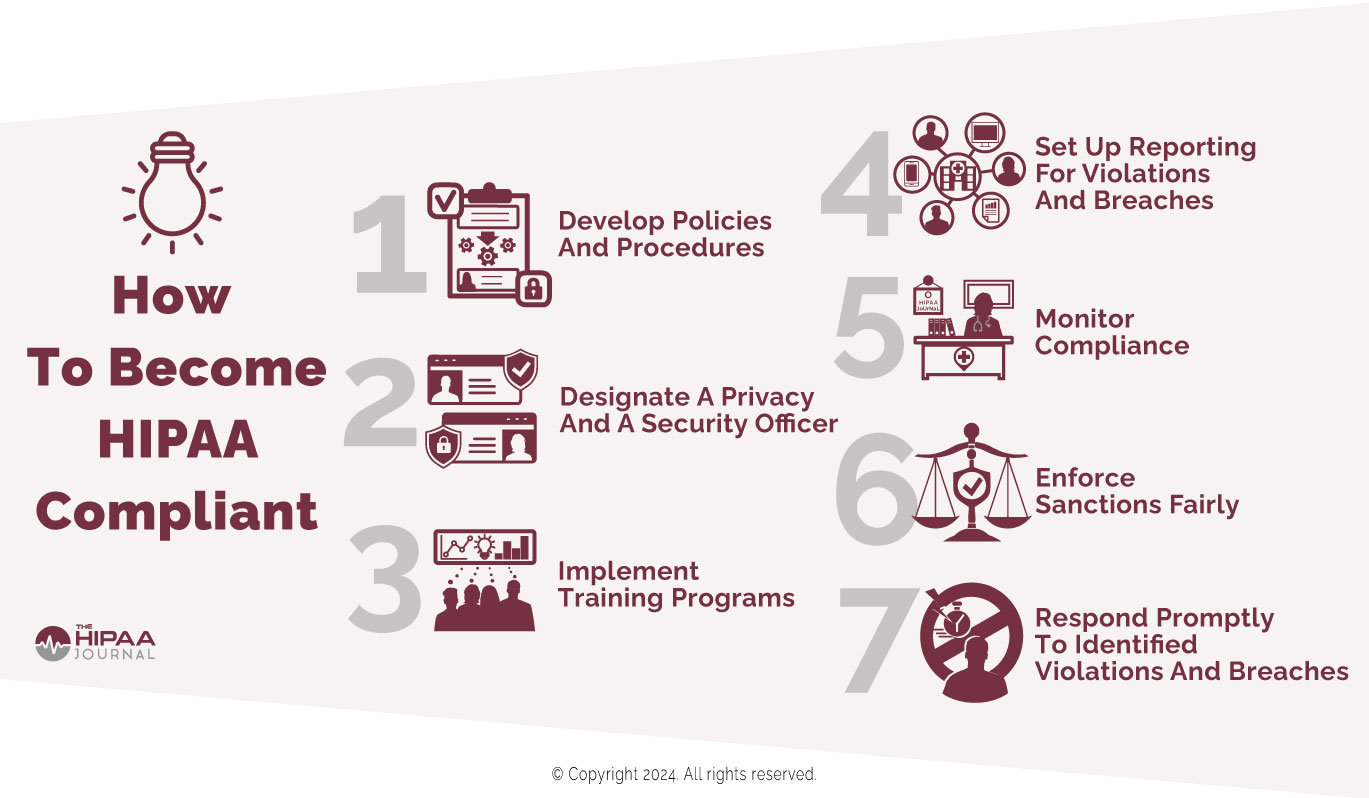
In 2011, HHS published “The Seven Fundamental Elements Of An Effective Compliance Program”. We have slightly amended it to be more relevant to HIPAA compliance in 2026. Here is a summary of the elements, which we outline in more detail in this guide.

  1. Develop policies and procedures so that day-to-day activities comply with the HIPAA Privacy Rule.
  2. Designate a privacy officer and a security officer.
  3. Implement effective training programs.
  4. Ensure channels of communication exist to report violations and breaches.
  5. Monitor compliance at floor level so poor compliance practices can be nipped in the bud.
  6. Enforce sanctions policies fairly and equally.
  7. Respond promptly to identified or reported violations, and breaches.

How To Become HIPAA Compliant

You can also read more about the background and history of the Seven Elements here.

The best HIPAA compliance software You might consider using >HIPAA compliance software which has been designed to use the seven elements framework and can simplify and automate compliance, and provides comprehensive risk management processes.

Step 1: Why HIPAA Privacy Rule Policies and Procedures?

Although HIPAA compliance consists of complying with all relevant Administrative Simplification Regulations, implementing HIPAA Security Rule and Breach Notification standards is generally an organizational process not connected with cultivating a culture of compliance. Additionally, the most common HIPAA violations are attributable to failures to comply with the HIPAA Privacy Rule.

However, it is no longer sufficient to develop policies and procedures that only address permissible uses and disclosures, the minimum necessary standard, and patients’ rights. Covered entities should ensure HIPAA Privacy Rule policies and procedures include how to explain to patients what PHI is (and what it isn’t), how to verify an individual’s identity, and how to record requests for privacy protections.

Step 2: The Roles of HIPAA Compliance Officers

It is interesting that the HHS’ Office of Inspector General placed this “tip” in second place after the development of policies and procedures. This would imply the roles of HIPAA compliance officers are to train members of the workforce, monitor compliance, and enforce the organization’s sanctions policy. However, there is quite a lot more involved in being a compliance officer.

In most cases, the HIPAA Privacy Officer will be the point of contact for members of the public and members of the workforce that want to report privacy concerns. Security Officers are generally more responsible for conducting risk assessments, ensuring security solutions are configured properly, and training members of the workforce on how to use the solutions compliantly.

Step 3: What Makes an Effective Training Program?

The effectiveness of the training provided to members of the workforce can make the difference between ticking the box of compliance or cultivating a culture of compliance. To make HIPAA Privacy Rule training effective, members of the workforce must understand what PHI is, why it has to be protected, and the consequences to patients, employers, and themselves of HIPAA violations.

HIPAA Security Rule training must be focused on protecting PHI in all formats and even more focused on the consequences of taking shortcuts, circumnavigating safeguards, and failing to alert managers of a data breach for fear of “getting into trouble”. One way of achieving this is to ask members of the workforce to run personal online credentials through the HIBP database to illustrate the importance of unique, complex passwords.

Step 4: The Importance of Two-Way Communication

While policy making and training has to come from the top down, it is important that any channels of communication relating to HIPAA compliance are also bottom up – not only to raise compliance concerns or report HIPAA violations, but also to provide feedback on what works and what doesn’t on the ground floor, and what new challenges are facing frontline members of the workforce.

This is why it can be important – when resources allow – to have a compliance team consisting of team members that have worked in or have knowledge of how different departments operate. For example, a compliance team consisting solely of lawyers and IT managers may not appreciate the difficulty of protecting the privacy of PHI in front of a grieving family mourning a recent loss.

Step 5: How Most Poor Compliance Practices Develop

Most poor compliance practices result from well-meaning intentions – for example, to “get the job done” or provide a good service to a patient’s family. When minor violations are allowed to continue, poor compliance practices can develop into a culture of non-compliance. This is why it is important to identify and address poor compliance practices at the earliest opportunity.

While it is important to have eyes on compliance at floor level, it is also important not to take eyes off compliance at higher levels. Busy managers and senior managers can also be guilty of taking shortcuts with compliance or ignoring non-compliant activities because they do not have the time to “sort it out” – when, in truth, the failure to take action is a failure of management.

Step 6: The Best Sanctions are Not Always Disciplinary

Sanctions policies can often be overwhelming documents threatening all manner of disciplinary actions for non-compliance from warnings to suspensions, to termination of contract and loss of license. Some even include the maximum federal penalties for violations of §1177 of the Social Security Act (up to ten years in prison and up to $250,000 in fines).

Although these sanctions may have to legally be included in a sanctions policy, making them the focus of attention is not necessarily the best way to cultivate a culture of compliance. The threat of a loved one being the victim of medical identity theft and the consequences of data breaches can encourage workforce compliance more than the threat of refresher training.

Step 7: Responding Quickly is the Key to Compliance

One of the keys to cultivating a culture of compliance is to respond to queries, issues, complaints, reports of violations, and data breaches as quickly as possible. Responding quickly to any type of communication demonstrates a commitment to compliance and an eagerness to ensure – once a compliant workforce is achieved – the compliant state is maintained.

Responding to queries, issues, complaints, etc. would ordinarily be the responsibility of compliance officers (or teams), but this can lead to the compliance officers being overwhelmed. Consequently, it may be necessary for managers and senior managers to take some responsibility for monitoring compliance and responding to workforce or patient communications.

The post How to Become HIPAA Compliant appeared first on The HIPAA Journal.